
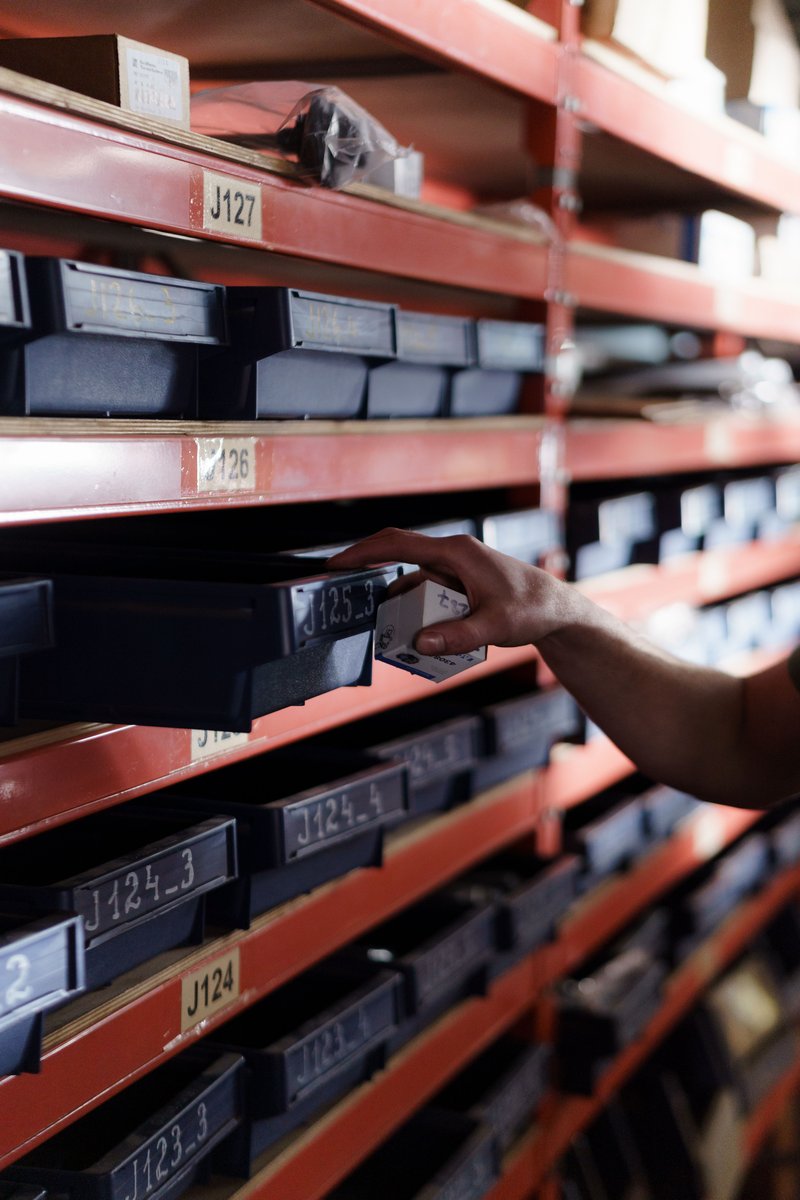
Year-end inventory: make your parts data reliable
Every year-end, the same ritual comes back in maintenance spare parts stores: count, reconcile, explain the discrepancies. And every year, the inventory brings to light the same problems: duplicate items, references that can no longer be found, parts on the shelf but nowhere to be found in the CMMS. We fix what we can before the close, then day-to-day work takes over again.
What if, this time, the inventory served as the starting point for parts data that is finally reliable, without setting up an in-house data project?
What the inventory reveals, and nobody has time to fix
The inventory is the only time of year when the physical stock is truly checked against the data. That is where the discrepancies appear: a bearing coded three times under three different designations, a drive recorded under a distributor’s reference rather than the manufacturer’s, a part bought urgently two years ago and never linked to the right item.
These discrepancies do not come from poor management. They build up naturally when data lives in several sources (CMMS, ERP, Excel files, supplier catalogues) and each site has its own coding habits. At an industrial group of 18 sites that we supported, nearly one item in five turned out to be a duplicate.
The problem is that fixing this data takes time that neither the maintenance teams nor the storekeepers have, especially in the middle of the closing period.
The real cost of approximate parts data
Approximate data does not show up in a dashboard, but it is expensive. Studies in the industrial and distribution sectors put the cost of managing a stock line at between €10 and €50 per year. Every duplicate is one line too many to manage, store and count.
On top of this direct cost come less visible ones: the technician looking for the right reference while a line is down, the buyer reordering a part already in stock at another site, obsolescence discovered on the day of the breakdown. In the end, trust in maintenance data erodes.
Make the most of the inventory instead of launching a data project
The inventory already produces what is needed: up-to-date exports and a review of the physical stock. With mykheoos, these exports are enough. You hand over your data, we take care of the rest.
In practice, kheoos consolidates your various sources, detects duplicates between items and between sites, and identifies the manufacturer reference hidden behind internal or supplier references. The common pivot is simple: the manufacturer brand and reference, the same whatever the plant or system. You do not validate every line: you only rule on the proposals that call for a decision.
In the field: mykheoos App, a photo of the nameplate is enough
Some parts remain impossible to identify from the data alone: a designation that is too vague, a label erased in the CMMS, an unknown supplier reference. This is where mykheoos App, the mobile app of mykheoos, comes in.
During the inventory, the storekeeper or technician already has the part in front of them. They just need to photograph the nameplate with mykheoos App: the legible brand and reference go straight up into mykheoos. When a proposal needs your decision, you can also rule on it from the app, with a photo of the part to support it.
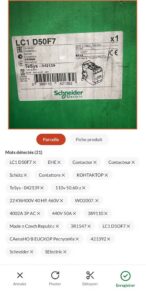
The inventory thus becomes an opportunity to complete the data while you are already standing in front of the shelf, with no extra round and no re-entry. It is not one more project, it is a field gesture.
After the close: clean data in your systems
Once the data is normalised, it goes back into your tools, in the format that suits you: a direct connection to your systems or simple Excel exports to import into your CMMS or your ERP. No heavy integration is imposed on your IT department.
You start the year with a consolidated view of your stock, identified duplicates, reliable manufacturer references and better visibility on the parts that are no longer manufactured. And the dormant parts spotted along the way can be resold through kheoos market, with nothing to manage on your side.
Where to start
No need to process the whole stock at once. You can start with a pilot site or a family of parts, using the exports from your year-end inventory, then extend the approach.
Preparing your inventory? Let’s talk before the close: send us your exports, and we will show you what your data reveals.